Skip to main navigation Skip to main content Skip to page footer

Operation via the main menu

The main menu gives you access to all settings of the indoor station.
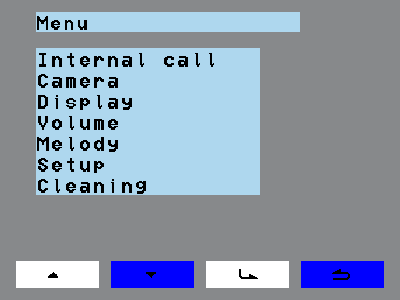
Main menu with the entries Internal call, Camera, Display, Volume, Melody, Setup and Cleaning
  1. Touch the screen. The screen becomes active.
  2. Touch the screen a second time. The menu bar appears.
  3. Tap the menu key. The main menu appears.
  4. Use the navigation keys to select the menu point you want.
  5. Tap the enter key. The selected menu point opens and can be edited.

Use the back key to leave the menu or return to the previous menu point. Which key does what is described under Menu keys.